
Email Tracking in Driven Pro helps coaches monitor participant communication directly from a program. You can see when a participant was last emailed, check whether an email was sent or opened, and identify delivery issues that may require follow-up.
Access Email Tracking
Log in to your Driven Pro account.
Go to the Programs section from the main menu.
Locate and open the program you want to manage.
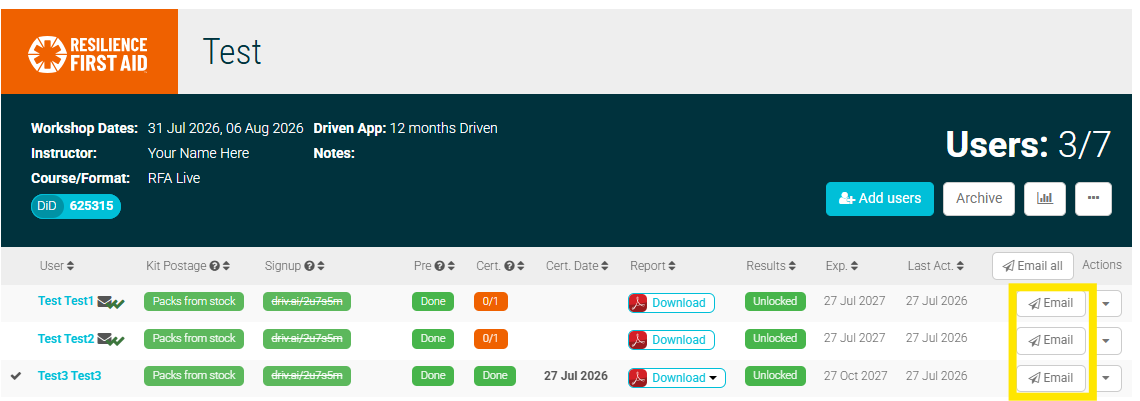
Find the participant you want to check.
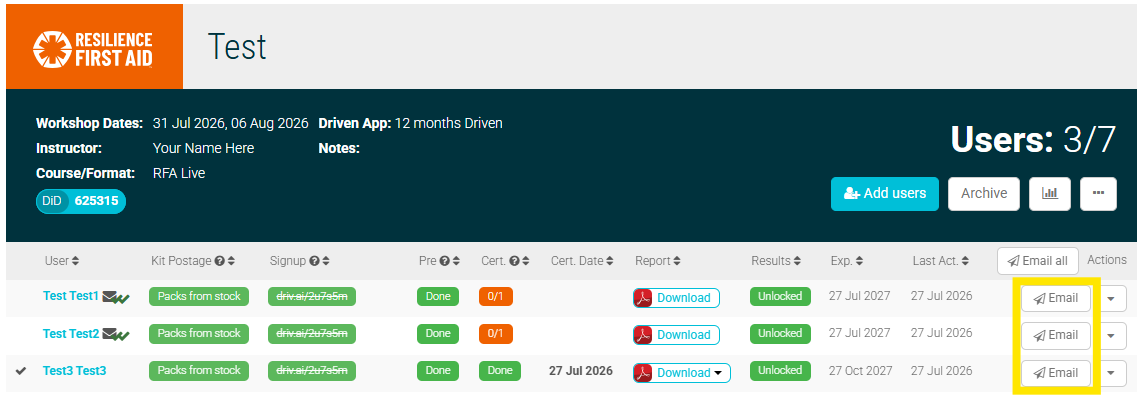
Click Email on the right side of the participant's row. This will open the Reminder Email Preview for that participant.
Check When a Participant Was Last Emailed
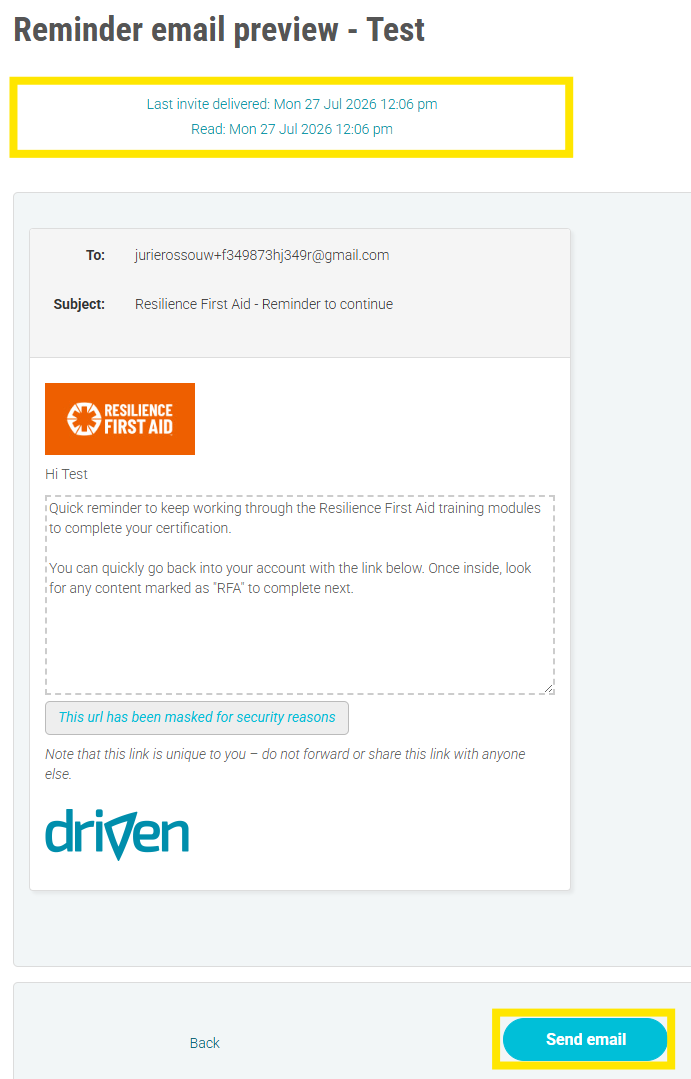
At the top of the email preview, you can see the participant's latest email tracking information:
Last invite delivered: Shows the date and time the most recent invitation or reminder was successfully delivered.
Read: Shows the date and time the participant opened the email, when this information is available.
This makes it easy to check when you last contacted a participant before sending another reminder or follow-up.
Send a Reminder Email
From the Reminder email preview, you can review the email before sending it.
Check the participant's email address and email content.
Review their latest delivery and read information at the top of the page.
Click Send email when you are ready to send the reminder.
Email Tracking Status
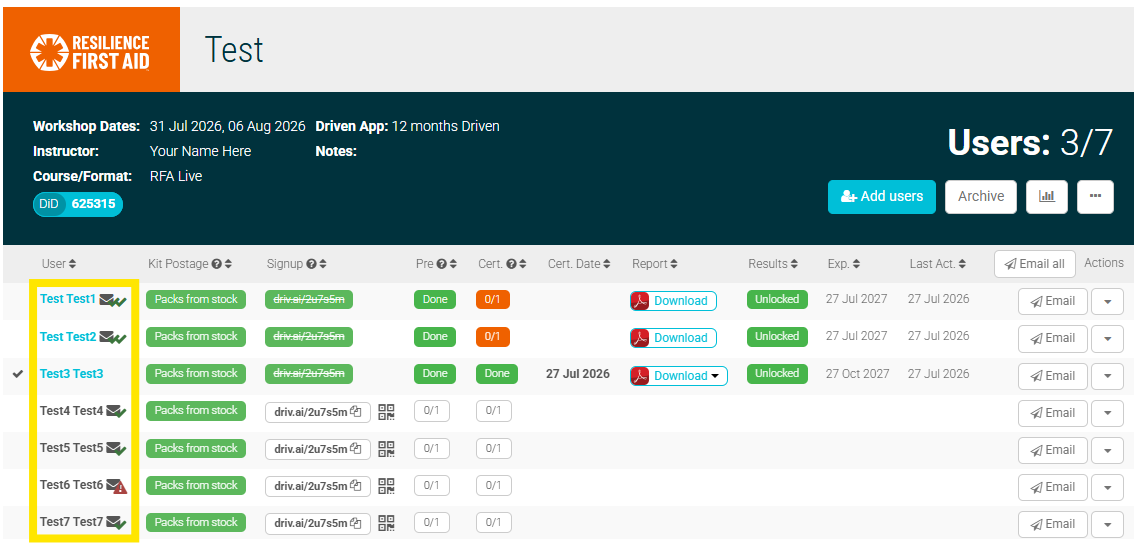
Email tracking indicators within the program also help you quickly check the status of participant emails:
One green tick: The email was successfully sent.
Two green ticks: The email was received and opened. Some email clients may not provide open tracking, so two ticks may not always appear.
Red triangle with an exclamation mark: The email failed to deliver. Check the participant's email address, update it if required, and resend the email.
No tick: Participants added before Email Tracking was introduced may not display tracking information.
Managing Participant Follow-Ups
Email Tracking helps you:
See when a participant was last contacted.
Check whether an email was successfully delivered.
See whether the participant opened the email, where tracking is available.
Identify failed emails that may require an updated email address.
Check previous contact before sending another reminder.
Important Notes
Click Email beside a participant to view their latest email tracking information and open the reminder email preview.
Delivery and read information is displayed at the top of the email preview.
Open tracking depends on the participant's email provider and settings, so Read information may not always be available.
Need More Help?
If you have further questions or need assistance with Email Tracking, please contact our Support team at support@hellodriven.com. We're here to help.