
Certifying participants in resilience programs confirms that they have successfully completed the required workshop and met all certification requirements. This guide explains how instructors can certify participants for Resilience First Aid (RFA), High Adversity Resilience Training (HART), and Personal Resilience Essentials (PRE) workshops in both live and blended formats using the Driven Pro Admin Area.
Eligibility to Certify Participants
RFA Instructors can certify participants in Resilience First Aid (RFA) workshops.
HART Instructors can certify participants in High Adversity Resilience Training (HART) workshops.
PRE Instructors can certify participants in Personal Resilience Essentials (PRE) Training workshops.
Note that different programs and formats have their own certification steps. Below follows on example.
RFA Blended Example - Steps to Certify Participants
Step 1: Access the Driven Pro Admin Area
Log in to Driven Pro and navigate to the Programs section.
Step 2: Locate the Program
Find the specific program in which participants need certification.
Step 3: Activate Training
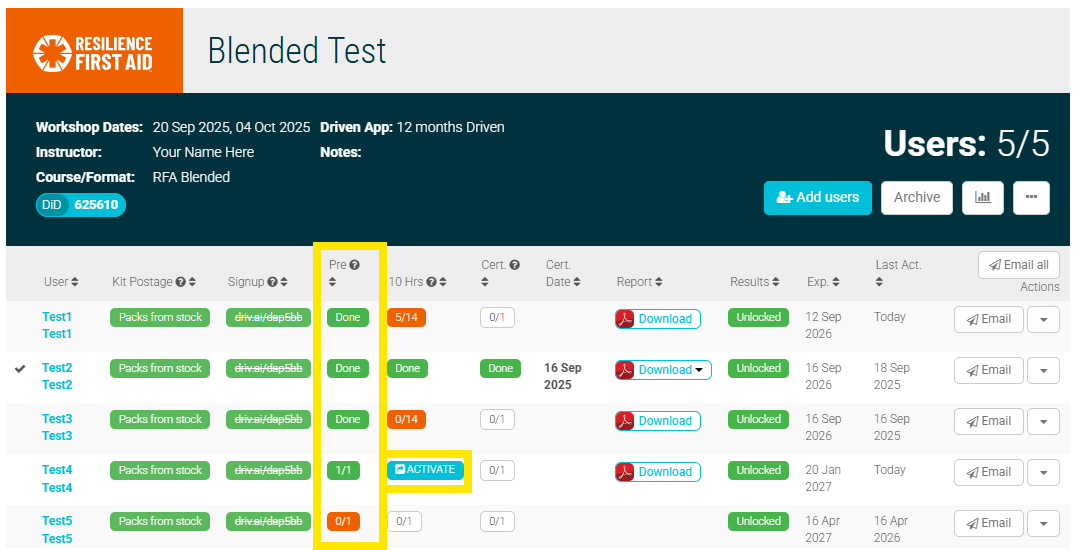
Check the Pre-Work column to confirm that the participant has completed all required Pre-Work.
Once the Pre-Work is complete, the status will show Done or the required completion count, such as 1/1.
An Activate button will then appear in the Training Hours column.
Click Activate to give the participant access to the main training content.
Step 4: Knowledge Test Available
Once the participant has completed the required training and attended the workshop, they can move to the certification stage.
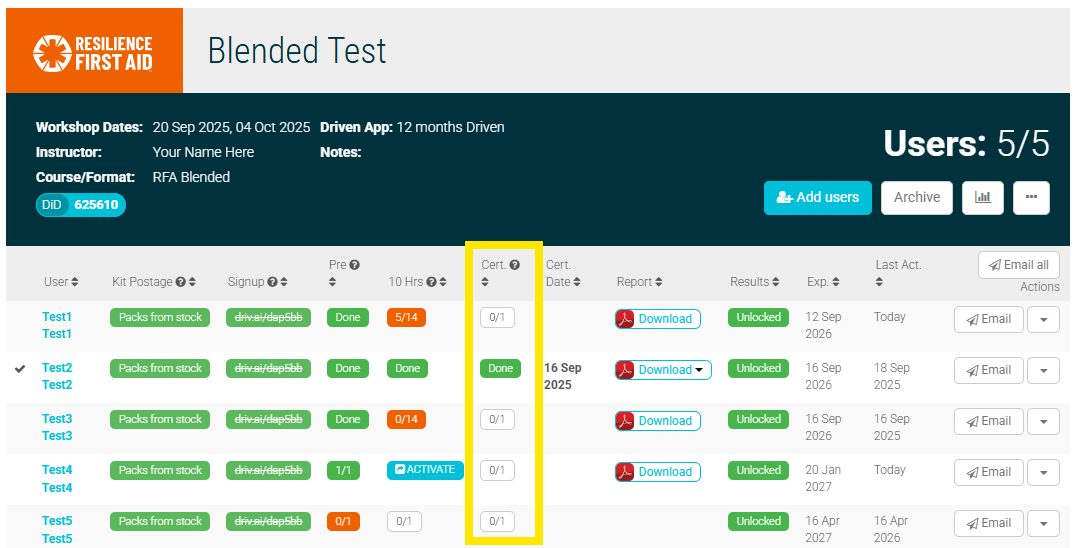
Locate the Certification column and activate certification for the participant.
This gives the participant access to their final Knowledge Test, which must be successfully completed before they can be certified.
Step 5: Participant Completes Knowledge Test
The participant will receive instructions to complete their final Knowledge Test.
Their certification will remain incomplete until they successfully complete the test.
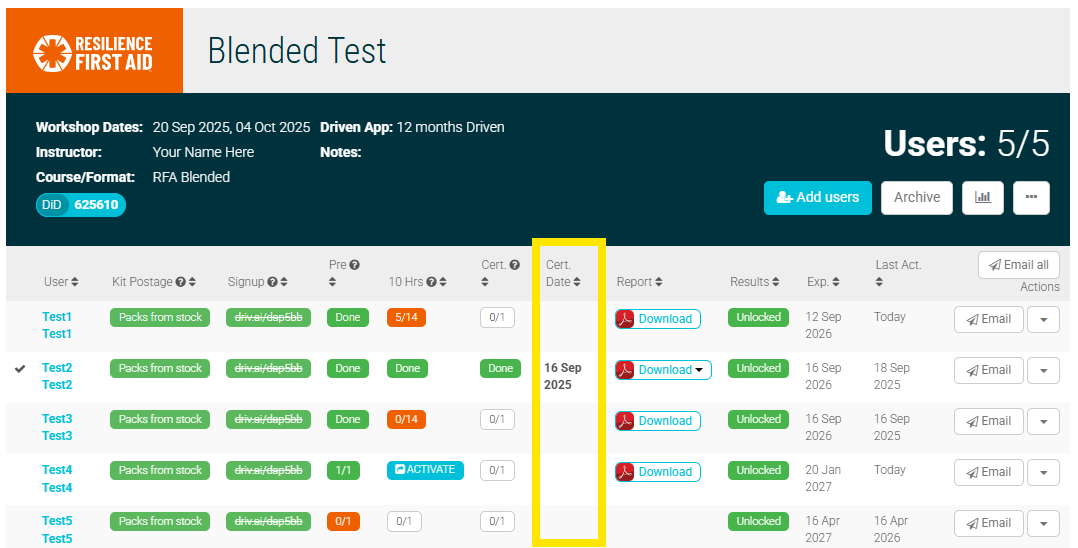
Once completed, the Certification status will change to Done and a date will appear in the Certification Date column.
Step 6: Certificate Issued Automatically
Once the Knowledge Test has been successfully completed, Driven Pro will automatically complete the participant's certification.
The Certification Date confirms when the participant was certified.
A certificate is only issued once the participant successfully completes all required certification steps.
Tips and Reminders
Verify participant status: Check the Pre-Work and Certification columns to confirm each stage has been completed. A status of Done means that stage is complete.
The final Knowledge Test is completed after you activate certification.
A certificate is only issued once the participant successfully completes all required certification steps.
If you need to resend an invitation or update participant details, you can manage these from the Users or Programs sections.
Troubleshooting and Support
If you encounter any issues during the certification process or have additional questions, please send us an email at support@hellodriven.com. We are here to assist you.