
The Company Settings page in Driven Pro allows administrators and practitioners to manage organizational details, track point inventories, access affiliate referral links, and configure billing options.
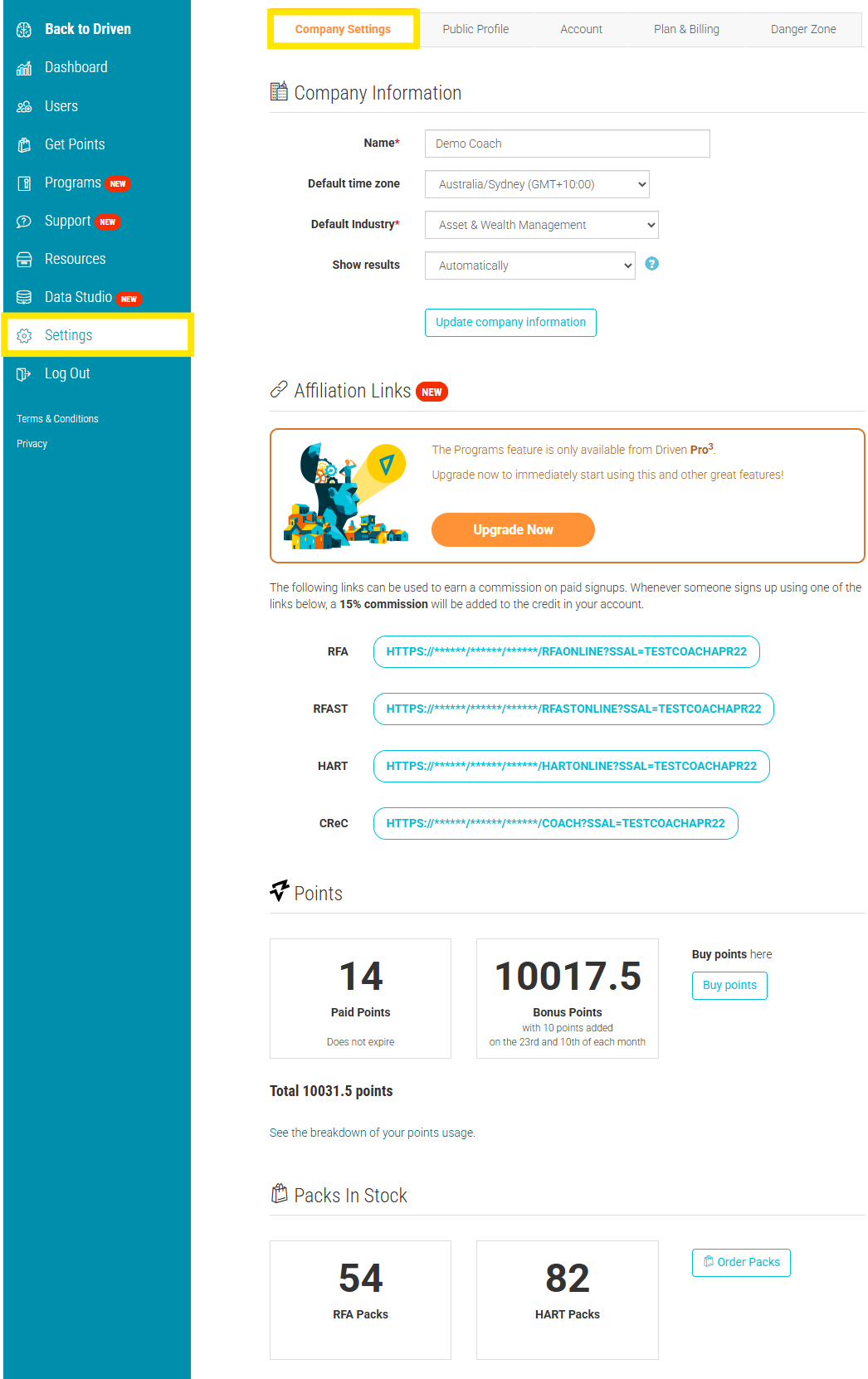
ℹ️ Quick Navigation Note: You can access your Company Settings either by selecting Account > Company Settings or Settings > Company Settings from the main left sidebar menu.
Accessing Company Settings
Log in to your Driven account at https://hellodriven.com/login
Navigate to the Account section from the main menu on the left side of the dashboard.
Click on Company Settings within the Account menu.
Key Features & Management Options
Within the Company Settings area, administrators and practitioners can manage the following options:
Company Information: Edit business names, primary contact details, and corporate profile data.
Plan Upgrades: Review your current plan tier and upgrade to access more platform features, higher participant limits, and additional monthly bonus points.
Affiliation Links: (CReC-certified practitioners with active Driven Pro3 account) Access unique referral links to refer people to selected Driven programs (such as Resilience First Aid, HART, CReC, etc.) and earn a 15% commission on paid sign-ups.
-
Packs & Point Inventory:
Check stock levels of physical/digital packs (e.g., RFA and HART materials) to ensure resources are ready for upcoming cohorts.
Order new packs directly to replenish inventory.
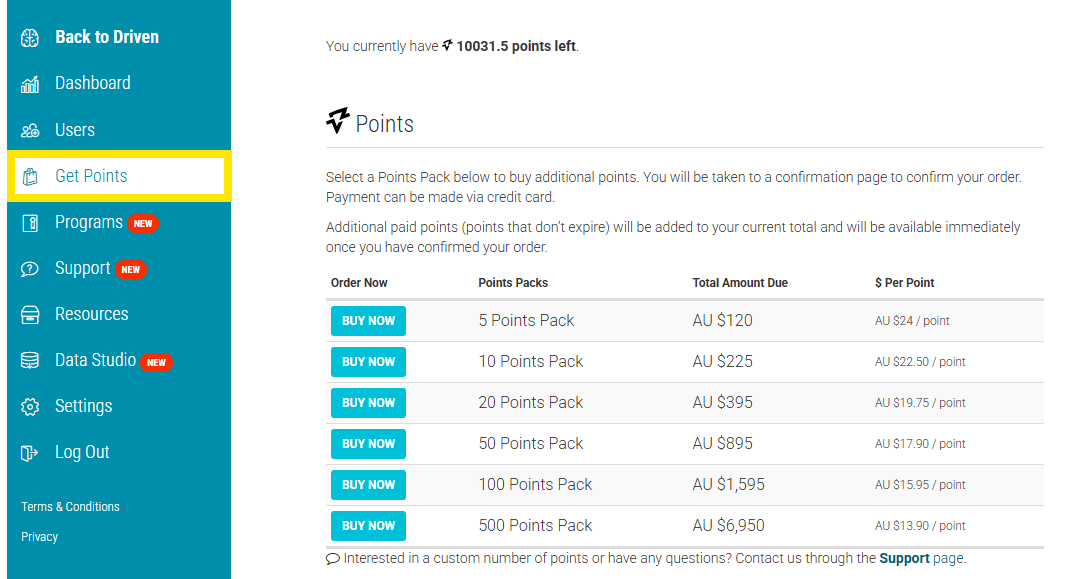
Monitor your breakdown of Paid Points versus monthly Bonus Points, and track overall usage history.
Additional Account Management Tabs
For further organization settings, use the top navigation bar within the Account area:
Public Profile: Update your organization's public-facing information, bio, and logo.
Plan & Billing: Manage payment methods, credit cards on file, and review billing invoices.
Account: Adjust personal user account details, primary login email, and passwords.
Troubleshooting & Support
If you have questions or need assistance with your Company Settings, updating affiliate payout links, or purchasing point packs, please reach out to our support team via Support in Driven Pro or send us an email directly at support@hellodriven.com.