
The Driven Pro Admin Area provides a robust set of Search and Filter tools in the Programs section, enabling you to quickly locate, organize, and manage your resilience programs. This guide outlines how to use these features for efficient navigation and program management.
Accessing Search & Filters in Programs
To begin, log in to Driven Pro and navigate to the Programs section. Here you'll find both search and filter options at the top of the page, allowing you to refine your view and manage your programs with ease.
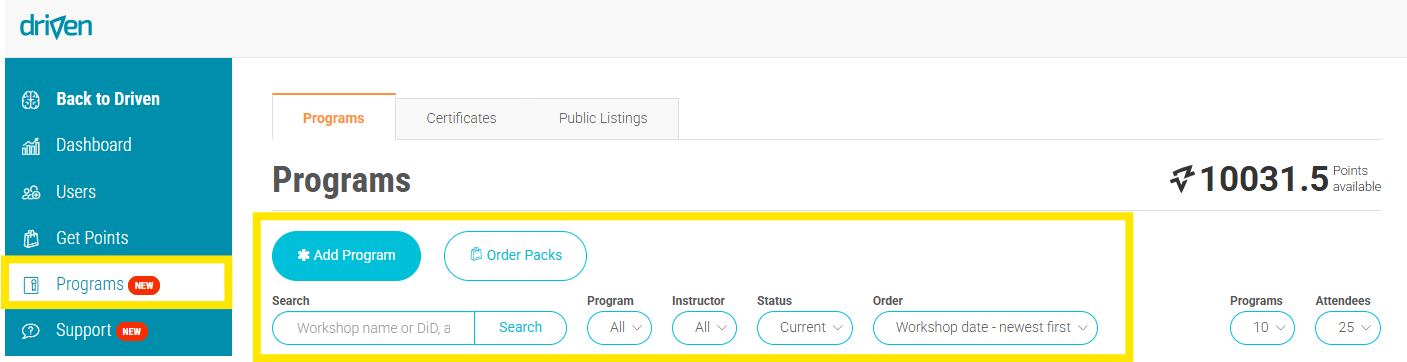
Top-Left Filters
Search: Use the search bar to locate a specific program by entering the program name, participant name or its unique DiD (Driven Identification number). The DiD can be found in the header of each program, ensuring you find the exact program or participant you need.
Program: Select from a list of available programs, such as RFA, RFAST, PRE, and Driven. This helps you quickly narrow down the list to the program type you wish to manage.
Instructor: If your organization has multiple instructors, you can filter programs by instructor name to view only those led by a specific individual.
Status: Filter your programs by status: All, Current, or Archived. This helps you distinguish between active, ongoing, and completed/inactive programs.
Order: Arrange programs based on dates, such as "Program date – newest first," to quickly access the most recent or oldest programs as needed.
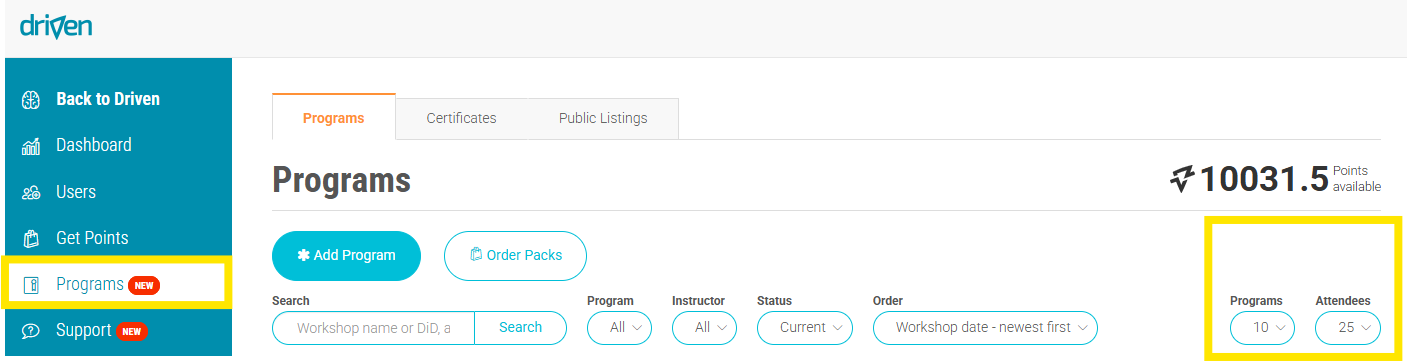
Top-Right Filters
Programs: Specify how many programs you want to display per page. This is useful for managing large numbers of programs and improving page navigation.
Attendees: Choose the number of attendees you wish to see listed for each program. This helps you focus on programs with specific participant volumes.
Tips for Effective Searching
For the most precise results, use the DiD number when searching for a program or participant.
Combine filters to narrow down your view (e.g., select a program type and an instructor, then sort by date).
Use the status filter to quickly switch between active and archived programs, helping you manage current activities and review past events.
Related Features
Archive Programs: Use the status filter to view archived programs and manage them as needed.
Order Packs: Quickly find programs requiring supply kits (RFA or HART Packs) and proceed to order packs as needed.
Track Packs: Use filters to locate programs where you need to monitor shipment and delivery status for participant materials.
Need Assistance?
If you have any questions or require further support with search and filters in the Programs section, please submit a request through our help center. Our support team is ready to assist you.