
The Danger Zone in Driven and Driven Pro contains high-impact administrative tools for archiving or permanently deleting user accounts. Because account deletion permanently erases all tracking history and revokes associated licenses, these actions should be performed with caution.
⚠️ CRITICAL WARNING: Deleting an account permanently erases all wellness progress, mood logs, assessment history, and certificates. If you are a Certified Resilience Coach (CReC), deleting your practitioner account immediately suspends your active CReC qualification and badge rights. This action cannot be undone.
Deleting Your Own Account
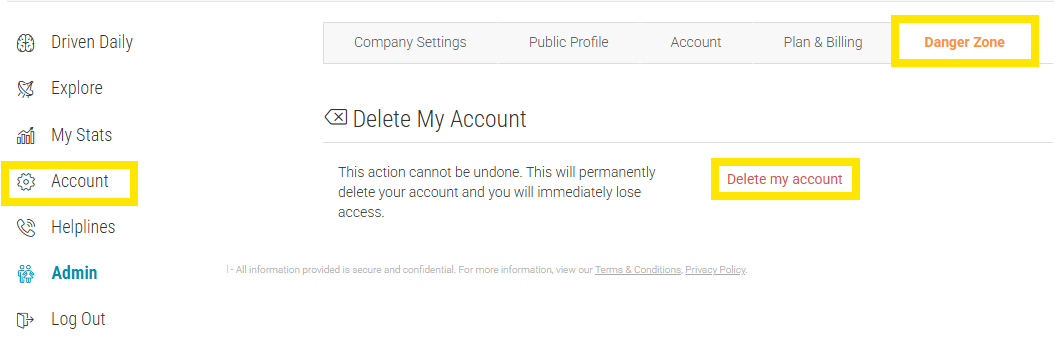
To permanently delete your user or practitioner account:
Log into your Driven account.
Select Account from the left sidebar menu.
Scroll down to the Danger Zone section at the bottom of the page.
Click Delete my Account and confirm the prompt.
Managing Participant Accounts (Practitioners)
Practitioners have three levels of control when managing participant enrollment and account access:
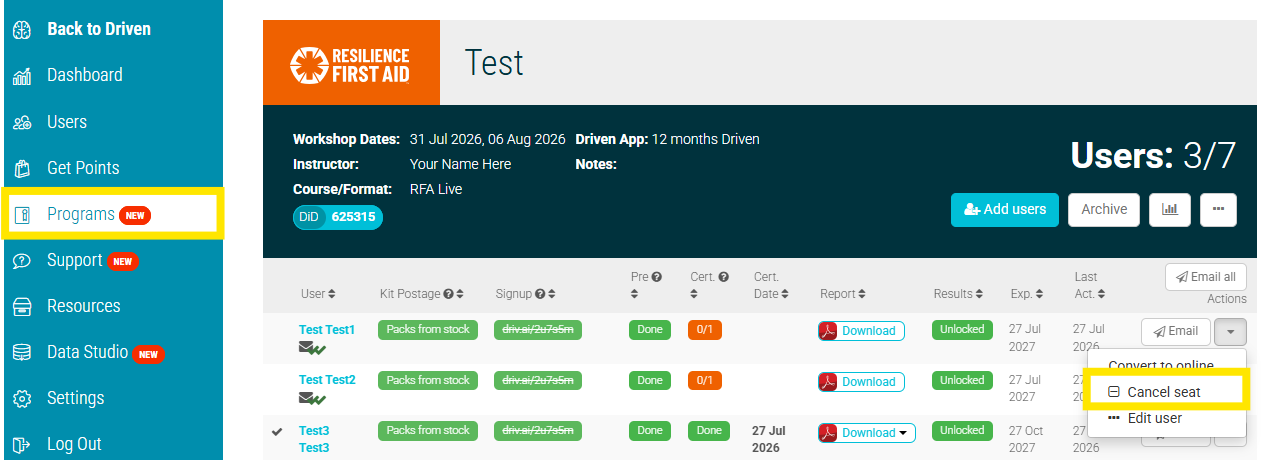
1. Cancel Program Enrolment (Unenroll)
Removes a participant from a specific cohort without deleting their account history.
Go to Programs in the Driven Pro menu.
Locate the specific program and click the dropdown arrow next to the participant's name.
Select Cancel Enrolment.
2. Delete a Participant Permanently (Irreversible)
Completely removes the participant and erases all evaluation data from platform databases.
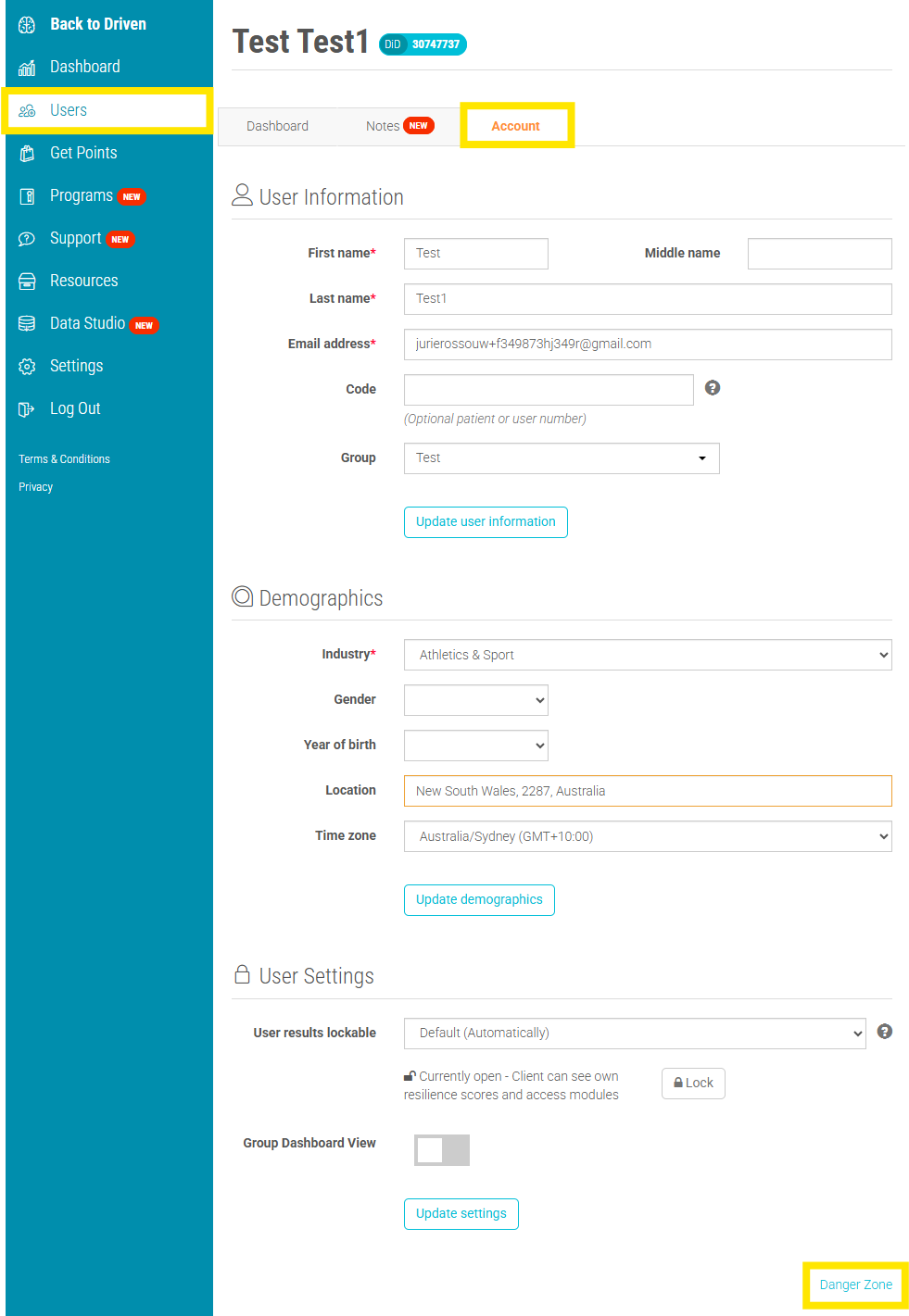
Go to Users, locate the participant, click the three-dot menu, and select Account.
Scroll to the Danger Zone section at the bottom of the participant's profile.
Click Delete to permanently erase the account.
What Happens When an Account is Deleted?
Immediate Access Loss: The user is logged out immediately and can no longer access Driven or Driven Pro services.
Permanent Data Erasure: All historical activities, assessment scores, mood check-ins, and group metrics are permanently deleted with no recovery option.
Licensing Revocation: Active CReC practitioner credentials, workshop management rights, and co-branding features are immediately revoked.
Troubleshooting & Support
If you need assistance before deleting an account, need to restore an archived participant, or have questions about subscription cancellations, please contact our support team via Support in Driven Pro or email us directly at support@hellodriven.com.