
The Certified Resilience Coach (CReC) Program combines neuroscience-based training, peer-reviewed research, and advanced digital tools to support coaches and their clients. This article details the core features and functional tools included in the CReC program ecosystem.
Core Training & Assessment Features
Peer-Reviewed, Accredited Training: Built on the PR6 Resilience Model and accredited by the International Coaching Federation (ICF) and Australian Counselling Association (ACA).
14-Hour Self-Paced Learning: Step-by-step guided training covering resilience science, assessment administration, and digital platform navigation.
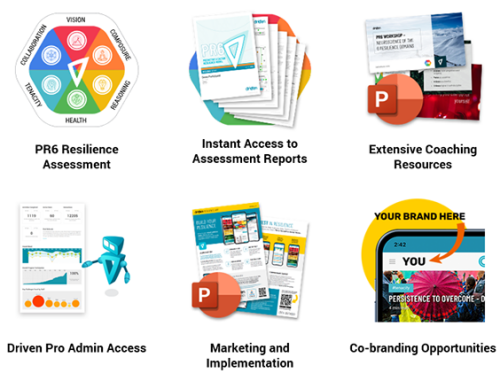
PR6 Resilience Assessment: Administer baseline assessments for individuals and groups with instant PDF report generation and progress tracking.
Workshop & Coaching Resources: Access over 500 slides across seven PR6 presentation packs, including speaker notes, videos, digital posters, and coaching activities.
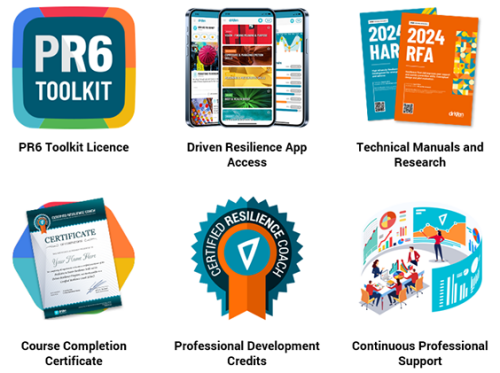
Professional Recognition: Receive an official Certified Resilience Coach certificate and digital badge, along with access to monthly Coach Power Hour community sessions.

Driven App & Digital Tools
Deliver daily interactive activities and monitor client progress through the Driven Resilience App:
Driven Daily: Personalized "Do Today" activities, progress tracking, mood checks, and AI-powered recommendations.
RARE Factor: Track personal resilience fitness scores and monitor client mental health metrics over time.
Mood Check: Daily prompts for clients to log mood and reflect on ongoing well-being.
Content Library: Access hundreds of resilience-building activities, micro-courses, and digital exercises.
Admin & Program Management
Streamline client workflows and track outcomes through the central Driven Pro dashboard:
Driven Pro Dashboard: Centralized hub for viewing user engagement, group performance, and aggregate resilience metrics.
Resource & Technical Library: Direct access to technical manuals, research papers, marketing resources, and PR6 framework documentation.
Client & Cohort Management: Easily create programs, invite participants, assign app access, and monitor completion rates.
Troubleshooting & Support
If you have questions about CReC program features or need technical assistance with Driven Pro, submit a request through the Contact Us option in the Driven Pro Admin Area or email us directly at support@hellodriven.com.