
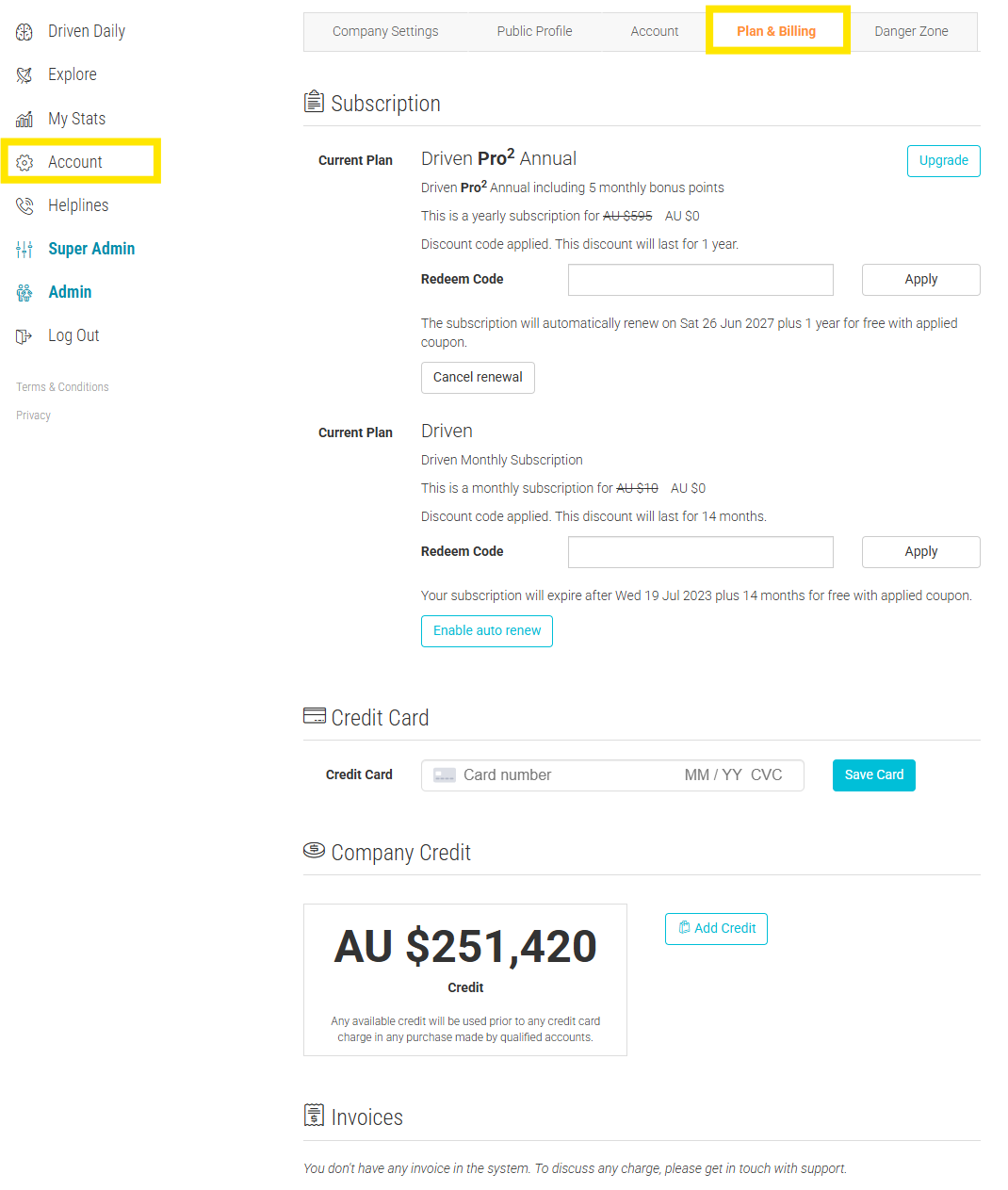
The Plan & Billing section in Driven Pro allows administrators and practitioners to manage active subscriptions, update payment methods, apply redemption codes, check company credit balances, and download past invoices.
ℹ️ Note: If you have active account credit or apply a redemption code, available credits are automatically applied toward renewal and transaction fees before your default credit card is charged.
Where to Access Billing Settings
Log in: Go to https://hellodriven.com/login and log into your Driven account.
Open Account: Click Account in the main left-hand sidebar menu.
Select Tab: Click the Plan & Billing tab located along the top navigation bar of the Account page.
Key Features & Billing Actions
Subscription Tiers & Renewals: Switch between monthly and annual billing cycles, check upcoming renewal dates, or upgrade your plan tier to unlock additional features and bonus points.
Redemption Codes: Enter promotional or partner discount codes into the Redemption Code field and click Apply to claim discounts or credits.
Credit Card Management: View your saved credit card on file and click Update to enter new payment details for future billing cycles.
Company Credit: Monitor your organization's available prepaid account balance (displayed under Company Credit) for seamless team licensing.
Invoices History: Scroll to the Invoices section at the bottom of the page to review past payment receipts and download official PDF statements for accounting.
Troubleshooting & Support
If you experience issues updating your credit card, applying a redemption code, or retrieving past tax invoices, please contact our support team via Support in Driven Pro or email us directly at support@hellodriven.com.