
The Certificates and Assessments sections in your Driven account allow you to view, verify, and download official PDF documentation for completed training programs, professional credentials, and psychometric assessment results.
ℹ️ Optimal Browsing: For the best experience downloading high-resolution PDF certificates and assessment reports, access your Driven account using a desktop web browser (Chrome, Safari, or Edge) rather than the mobile app.
How to Access and Download Your Records
Log into your account at https://hellodriven.com/login
Select Account from the main left sidebar menu.
Scroll down to the Certificates or Assessments table.
Click Download next to any record to save the official document to your device.
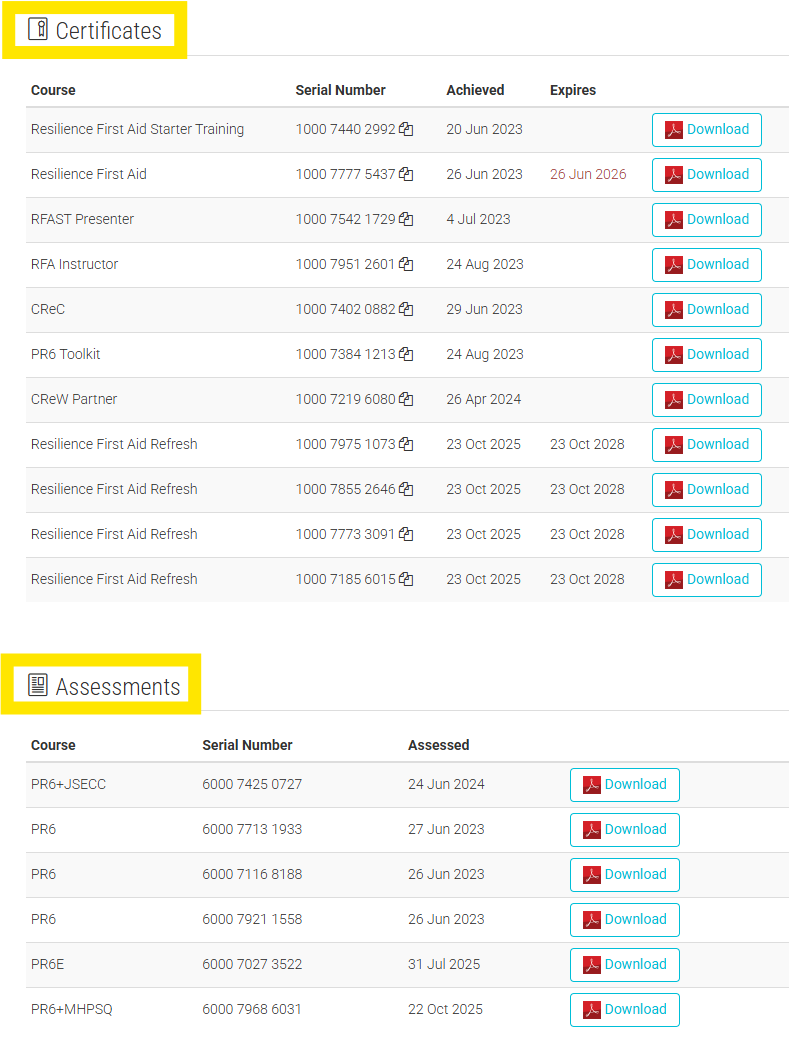
Record Details & Verification
Your profile automatically logs all completed training milestones and assessment history:
Record Type |
Displayed Information |
Available Actions |
Certificates |
Course/Certification Name, Serial Number, Date Achieved, Expiration Date (if applicable) |
Download official PDF certificate for printing or credential verification |
Assessments |
Assessment Track (e.g., PR6, Big5...), Unique Serial Number, Assessment Date |
Download full psychometric score report |
Troubleshooting & Support
If you have completed a program or assessment but your certificate is missing, contains an error in your name, or fails to download, please contact our support team directly at support@hellodriven.com.